For road conditions in Alberta, start with 511 Alberta, the provincial government’s traveller information service for highway conditions, closures, construction and major incidents. AMA Road Reports provides another way to review road conditions and traffic information before travelling. This article explains how to interpret those reports, check Highway 2 and decide when to delay a trip; it is not a live road-status bulletin. (alberta.ca)
Where should you check Alberta road conditions before driving?
Check 511 Alberta first for provincial highway information, then review relevant weather forecasts, camera images and incident details for your route. The service is available online, through its mobile app and by calling 511 within Alberta. Look beyond your departure point: the information you need is the condition of the entire journey, including any affected highway segments. (alberta.ca)
A useful pre-trip check combines several types of information rather than relying on a single coloured line:
- Road conditions: Identify stretches reported as bare, partly covered, covered or affected by reduced visibility.
- Closures and incidents: Open individual notices to understand the location and nature of a disruption.
- Construction: Check for work zones or restrictions that could affect your planned route.
- Cameras: Compare available images along the journey instead of judging the trip from one location.
- Weather: Review the forecast for the areas you will pass through, not only your destination. (511.alberta.ca)
Make this check part of your departure routine. For example, review the route while planning, then check again before leaving rather than treating an earlier report as a guarantee. Alberta’s winter-driving guidance recommends planning ahead and avoiding unnecessary travel during major storms. (alberta.ca)
Reading the map without confusing traffic and traction
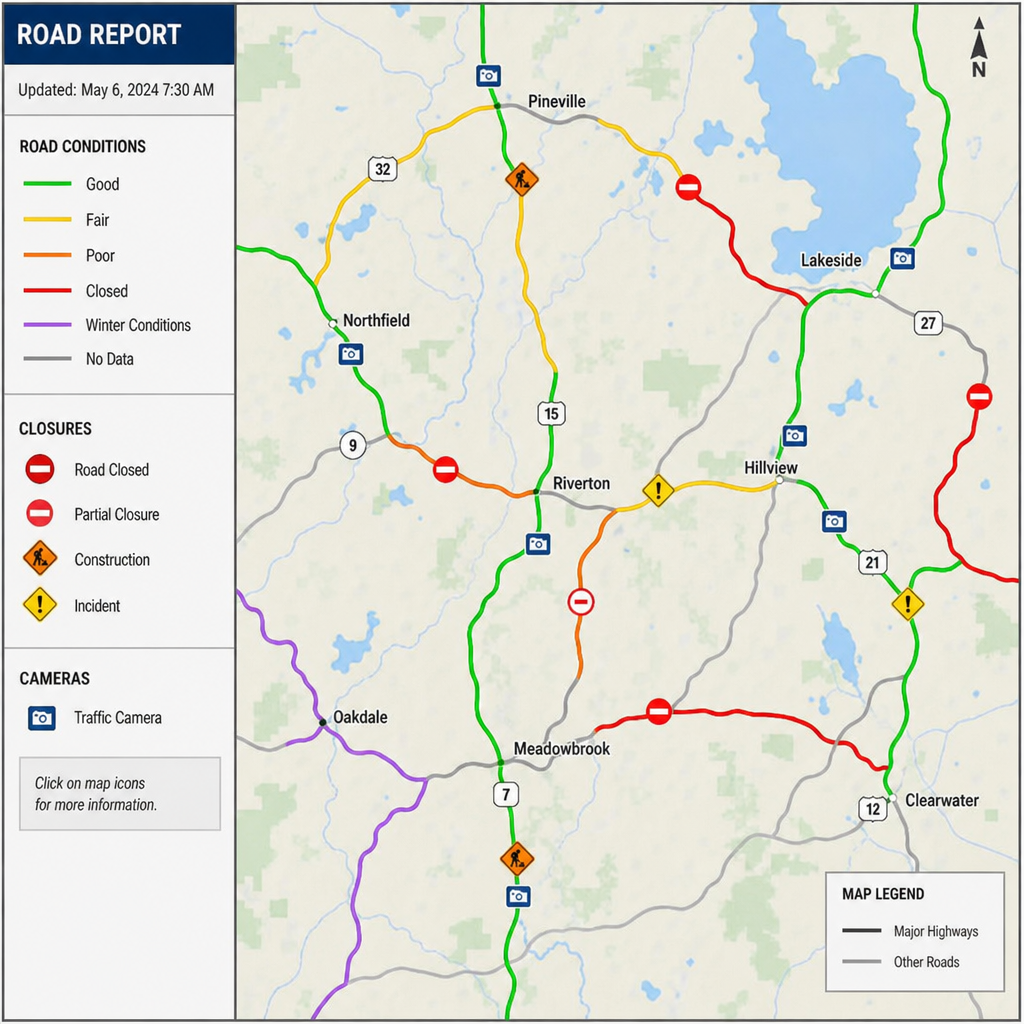
Road condition reports and traffic-speed maps answer different questions. A road-condition layer describes the physical surface; a traffic layer shows how vehicles are moving. AMA explains that normal traffic speeds do not necessarily describe pavement conditions, while a bare road can still have delays caused by an incident. (roadreports.ama.ab.ca)
If you use AMA road conditions for Alberta, check which layer is selected before interpreting its colours. On AMA’s map, green in the traffic layer means normal traffic speed, while green in the road-condition layer means bare pavement. Similar colours can carry different meanings, so read the legend rather than assuming green means an unrestricted, hazard-free journey. (roadreports.ama.ab.ca)
The 511 Alberta map distinguishes between surface conditions, reduced visibility, travel-not-recommended notices and closures. Treat these as separate pieces of information. An open road is not the same as a recommendation to travel, and a surface description does not answer every question about visibility or incidents. (prod-ab.ibi511.com)
How do you check road conditions on Highway 2 in Alberta?
To check road conditions on Highway 2 in Alberta, Canada, locate your intended section on 511 Alberta and review its road-condition reports, closures, incidents and available cameras. Highway 2 includes the Edmonton–Red Deer–Calgary corridor, commonly associated with the Queen Elizabeth II Highway. Check the segments you will actually drive rather than looking for one condition label for the whole corridor. (511.alberta.ca)
When reviewing road conditions on Hwy 2 in Alberta, use a route-by-route approach:
- Set your start and finish. Identify the section of Highway 2 you need, including your entry and exit points.
- Inspect each affected segment. Open condition reports and incident markers along that section.
- Read restriction details. Check whether a notice concerns a particular direction, lane or location.
- Compare available cameras. Use several views where possible, checking image times when shown.
- Review the connecting roads. Include the roads needed to reach the highway and your destination. (511.alberta.ca)
Use the same routine for your return journey. A report reviewed before the outward trip should not replace a fresh check later: 511 updates winter road information when significant changes occur, and AMA cautions that weather can change faster than reports appear. (511.alberta.ca)
Alberta road closures and travel advisories are different
A closure and a warning against travel require different interpretations. The 511 map lists both “Closed” and “Travel Not Recommended” as distinct conditions. Alberta RCMP also explains that police may advise against travel or temporarily restrict access because of immediate safety risks, while highway maintenance and formal closures involve other responsible authorities. (prod-ab.ibi511.com)
When Alberta RCMP advise against travel due to poor road conditions, take the warning seriously even if you cannot find a closure marker. RCMP says these advisories are based on real-time safety risks and encourages drivers to follow them to reduce danger and avoid delays in emergency response. Postponing a non-essential journey is a practical response, not an overreaction. (rcmp.ca)
For Alberta road closures, read the full notice before changing plans. Check the affected location, any stated restrictions and the latest update available. Use official information to plan around the disruption rather than treating a navigation app’s suggested alternative as evidence that the alternative is suitable. (alberta.ca)
What should you do when reports are old or conflicting?
When reports appear old or disagree, refresh the information and compare official notices, available camera images and the weather forecast. AMA acknowledges that changing weather can prevent reports from showing up-to-the-minute conditions. An older timestamp does not automatically mean the road has worsened, but it should prompt a broader check rather than an assumption. (roadreports.ama.ab.ca)
Use this short verification checklist:
- Read the timestamp: Separate a newly issued notice from an older report or recirculated screenshot.
- Confirm the location: Make sure the report concerns your highway segment and direction.
- Check another information type: Compare a surface report with cameras, incident details or weather information.
- Revisit official notices: Look for updates before deciding that a warning or restriction has ended. (roadreports.ama.ab.ca)
Camera images also have limits. AMA notes that its partner-vehicle dashcam images are captured as those vehicles travel, rather than updating like stationary cameras. Read them as evidence from a particular place and time, not as a continuous view of your entire route. (roadreports.ama.ab.ca)
Adjusting your driving to the conditions
Checking Alberta driving conditions is only useful if your driving changes accordingly. Provincial guidance says posted speed limits are intended for ideal conditions and recommends slowing down, increasing following distance on slick roads and avoiding cruise control in winter conditions. Keep headlights on so other drivers can see your vehicle, including its taillights. (alberta.ca)
Make your movements predictable. Signal early, check mirrors and blind spots, and avoid abrupt steering or braking. Bridge decks can be slicker than surrounding highway surfaces, so do not assume the traction you experienced a moment ago will remain unchanged. (alberta.ca)
Give snowplows room to work. Alberta warns that following too closely can leave you effectively driving blind in the snow cloud. Do not pass when your view is obstructed, when passing would interfere with the plow or when it cannot be done safely; wait until the operator provides a safe opportunity. (alberta.ca)
Preparing for delays before leaving
Prepare for the possibility that the journey will take longer than expected. Alberta recommends winterizing your vehicle, carrying an emergency road kit and keeping more than half a tank of fuel. Clear snow and ice from windows, mirrors and lights before departure rather than relying on a small cleared area of windshield. (transportation.alberta.ca)
Pack supplies you could actually use while waiting for help: warm clothing, blankets, first-aid supplies and non-perishable food. RCMP also recommends extra water and departing with a full fuel tank during severe weather. Check your supplies before a long trip, especially if items have been used or removed. (ama.ab.ca)
If you become stranded, assess whether anyone is injured, turn on hazard lights and contact appropriate assistance. AMA advises keeping the exhaust unobstructed and making the vehicle visible. Emergency preparation supports safer decisions, but it does not make travelling through an active warning a good choice. (ama.ab.ca)
Make the departure decision before you drive
Use 511 Alberta to check your route, compare reports with weather and cameras, and take travel advisories seriously. Whether you are reviewing road conditions on Alberta Highway 2 or another provincial route, focus on the whole journey rather than one reassuring image. If major storms make travel unnecessary, wait: arriving later is preferable to committing to a trip that official guidance recommends postponing. (511.alberta.ca)